Reminder: The K-5 PRINCIPAL and one teacher are required to attend the training. (See TEA Civics Training Program Website for more information, specifically #9 in the FAQ.)
The link below will direct you to the public site for the Civics Training Program LMS:
It is strongly advised to enter your 10-digit TEA Unique ID number when creating your account or registering in the LMS. This Unique ID will be necessary for the following:
teacher stipend disbursement
viewing progress data
Use this link (or the link above) to look up your 10-digit TEA Unique ID.
To create an account, please follow the steps outlined below.

- Click GET YOUR CERTIFICATE HERE
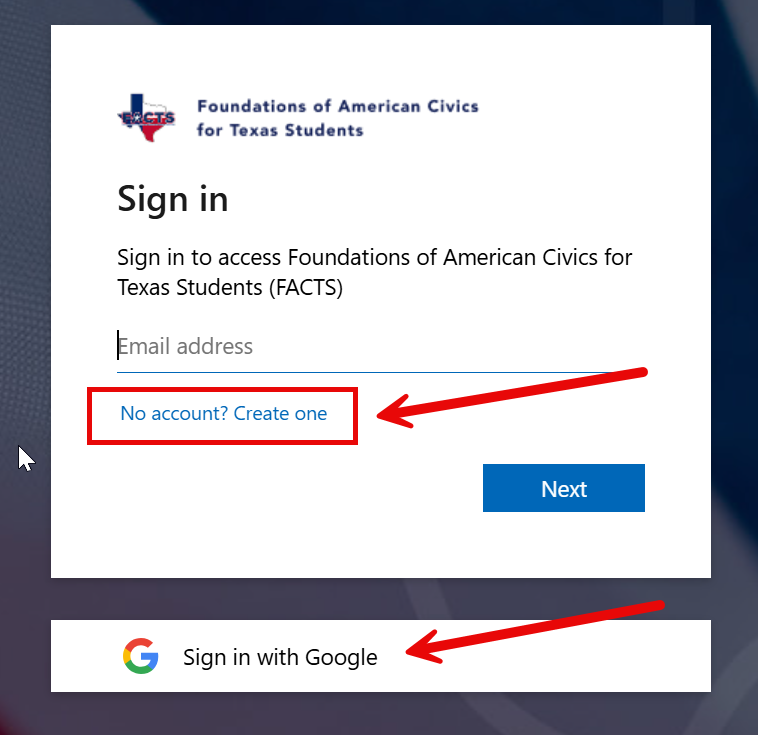
- Select “No account? Create one”
- You can also now sign in with Google
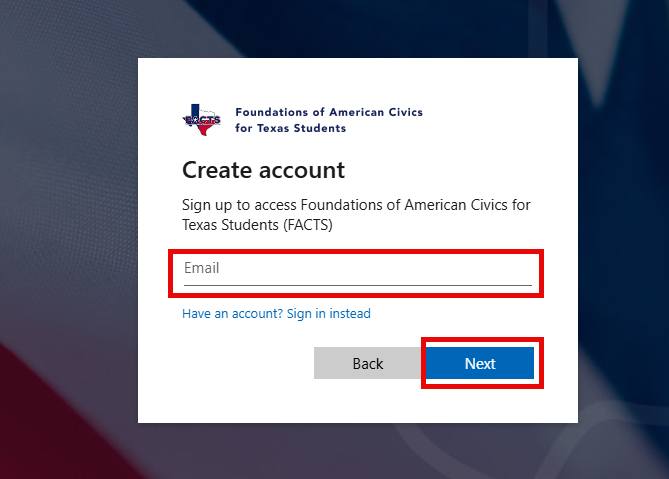
Enter your work or school email address:
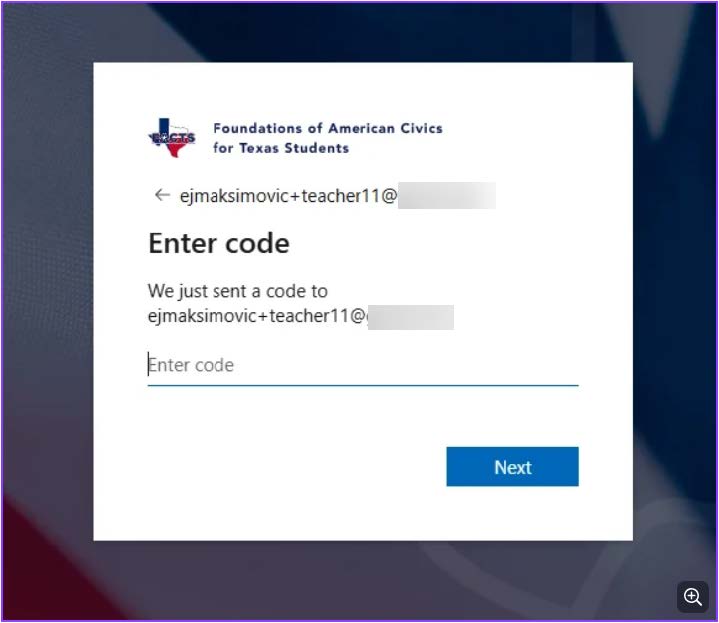
- You should receive a code to that email address –
- The code will come from "Foundations of American Civics for Texas Students (FACTS) (via Microsoft) <account-security-noreply@accountprotection.microsoft.com>"
- copy and paste the code where it says “Enter code”:
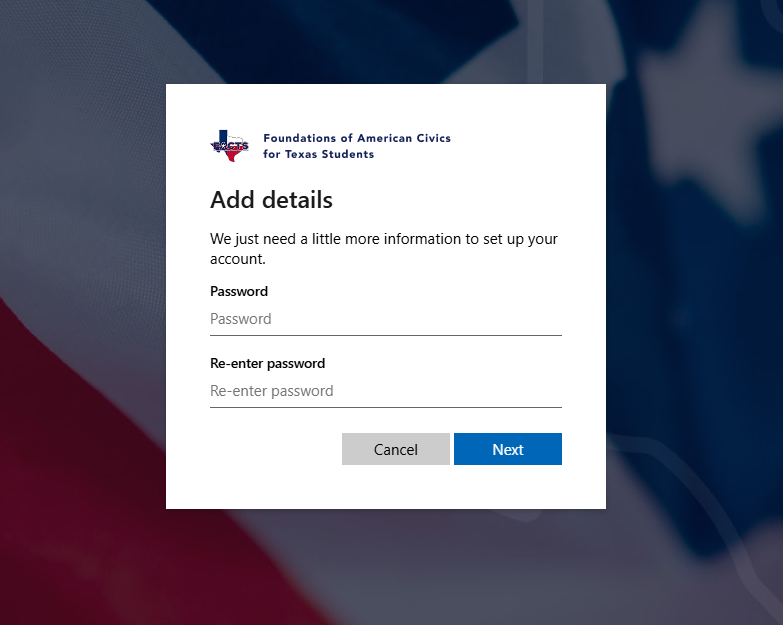
- Set the password for your account:
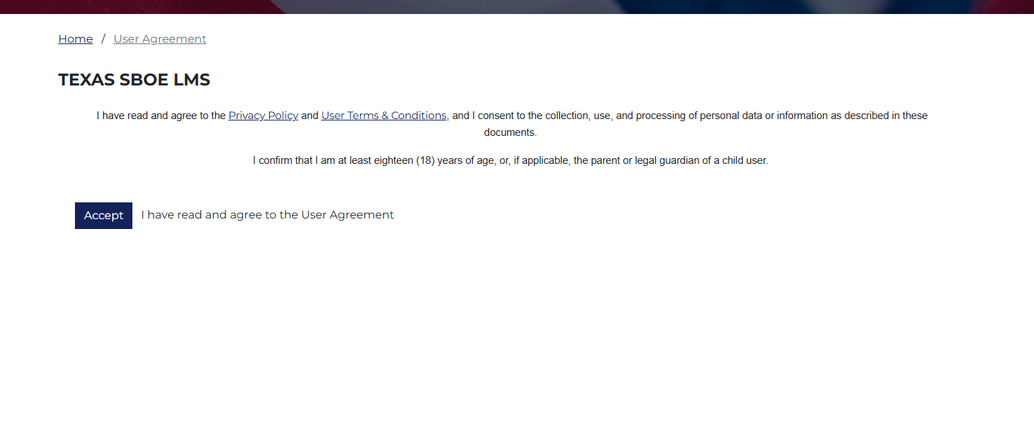
- Read and accept the Texas SBOE LMS
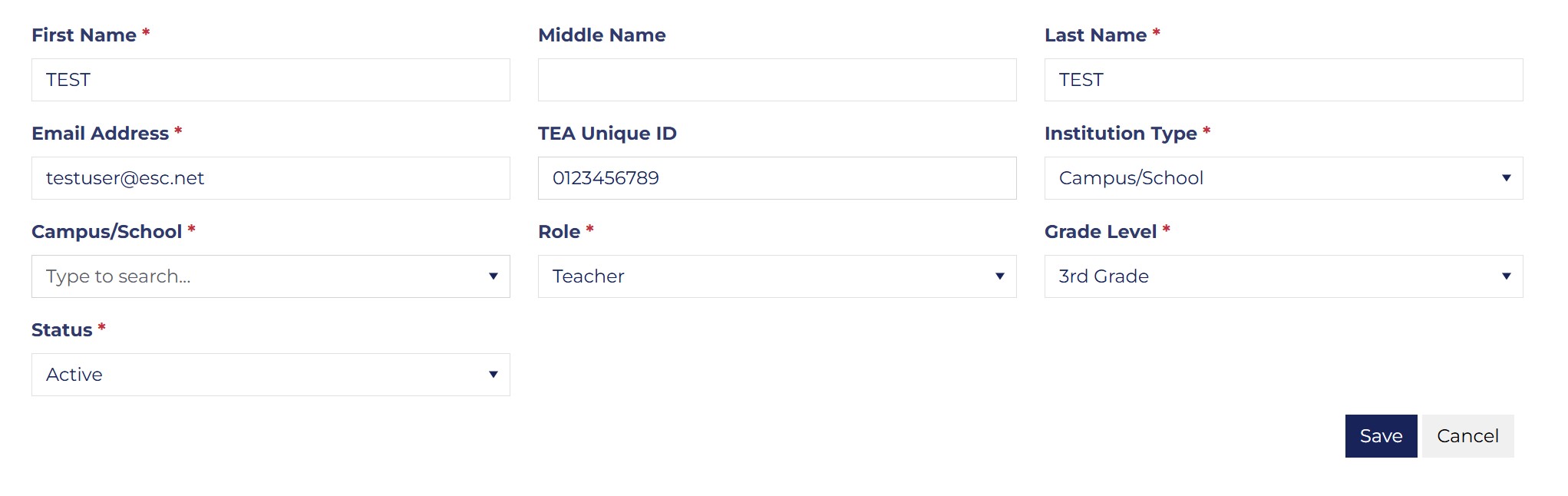
Fill out the Additional Account Information
Institution Type – Campus/School for District or Charter Schools
Campus/School – Select your School Campus or Charter from the list of LEAs
Role – Select Teacher or Campus/School Admin/Principal for Principals
Enter your TEA Unique ID # [10 digits]
* LEA is Local Education Agency, such as a school district or charter school.
It is strongly advised to enter your 10-digit TEA Unique ID number when creating your account or registering in the LMS. This Unique ID will be necessary for the following:
teacher stipend disbursement
viewing progress data
Use this link (or the link above) to look up your 10-digit TEA Unique ID.
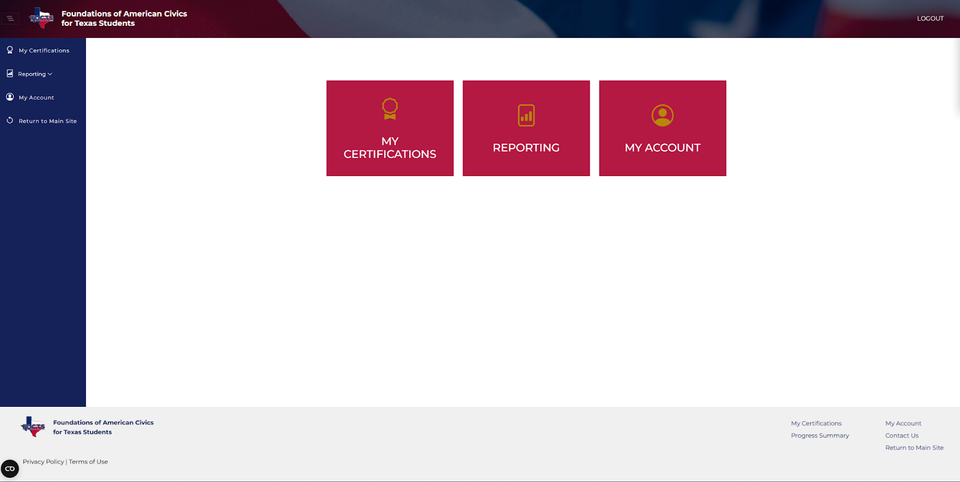
- Click “Return to main site”
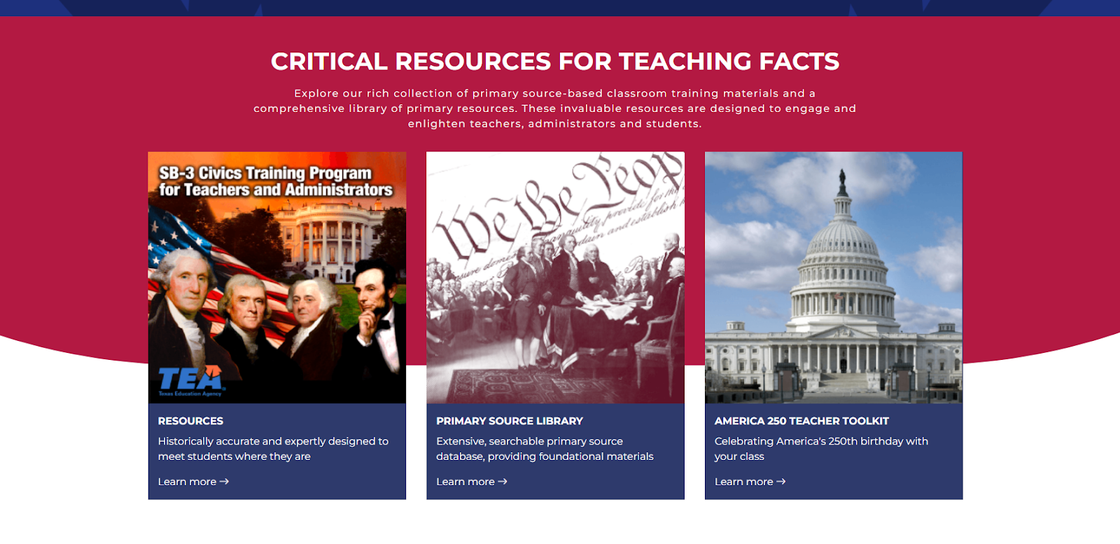
- Scroll down to “CRITICAL RESOURCES FOR TEACHING FACTS”
Was this article helpful?
That’s Great!
Thank you for your feedback
Sorry! We couldn't be helpful
Thank you for your feedback
Feedback sent
We appreciate your effort and will try to fix the article